It’s been a little while since I’ve touched on this topic but I feel it’s important to revisit it as it is a daunting prospect for starting out, self-publishing authors. In this blog I am going to attempt a concise and structured how to guide that will bring your manuscript from a final, edited Word (or whichever format you use) into a final, physical copy that you can hold in your hand.
Since I first self published back in 2017 things have changed, but maybe not as much as you might think. While going to Google and searching for ‘Self-Publishing Services’ might seem like the most logical thing to do there are many traps out there for the unwary. The convenience of the ‘Vanity Press’ theoretically in the availability of in-house editing, layout and cover design options and, speaking honestly, those are services most of us really do want access to. But those services come at a cost and, while you may think you can’t do such things yourself, I’m here to assure you that, with a little patience and practice, you can. Similarly jumping onto Amazon Kindle Direct Publishing (KDP) might seem like an ‘easy’ option but, I promise you, there is a better way.

My own research into self-publishing led me to an article that recommended using two services, IngramSpark and CreateSpace. The theory was that by listing your novel on Ingram you gained access to their huge print-on-demand and distribution (not promotion, just distribution) facilities, and then, to source whole-sale copies for yourself, use CreateSpace if attending events to sell your titles was your goal. Seem a little complicated? Well, it’s not so anymore since Amazon subsumed CreateSpace and, honestly, I just use Ingram anyway because of their print quality. And, at times it might sound like I’m simping for Ingram but, honestly? I’ve never had reason to look elsewhere to get my self-published works printed.
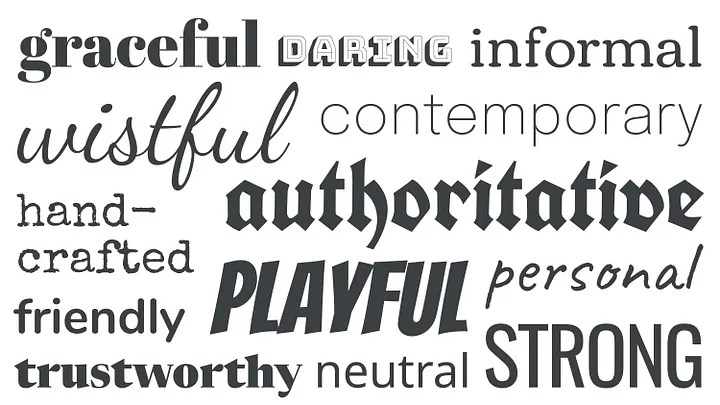
The first step is preparing your manuscript for uploading, there are guides out there, Ingram has many on their site and there are YouTube tutorials galore. The very first thing you’ll want to do is pick your page size. Way back when a standard paperback was 178mm x 107mm (7”x4 ¼”). That is still an option but with increased waste the unit prices are slightly higher. More commonly self and small press releases fall around 225mm x 148mm (8 ⅞” x 5 ⅞”). Once you’ve resized your pages (save as a new document, do not use your master!) you’ll then want to adjust your border (remembering to set a mirrored gutter of 0.5cm for binding), smaller pages only need 1cm, larger pages will accommodate 1.5cm but you don’t want to go much bigger than that. More white space means more pages which increases your unit coast, but you want enough space for the reader to be comfortable. You should also adjust the Header and Footer boxes as they will eat up page space too! Then pick a font. Times New Roman 12 was widely considered industry standard but Helvetica/Calibri are reasonable choices (Sans-serif fonts are easier for dyslexic readers or you can license a dyslexic friendly font at a cost). You’ll want to set them to maybe 11, but the final choice is yours. Whether you go serif or san-serif is a style choice, just *Don’t* use a cursive font, you will put off so many readers.
A lot of these may seem like nothing choices, who cares what font I use or how much white space is on my page but, by emulating industry approaches you’re engaging with a readers familiarity, and familiarity breeds comfort. Whether you leave your page left-aligned or choose to justify is one of those gray areas, some publishers do, some don’t. But, page One should be at the bottom of the first line of actual story beyond the title page, so, Section Break at the bottom of the Title Page, Page Breaks at the end of each Chapter. A Chapter should start on a facing (odd numbered) page but that again is not a hard and fast rule. Many publishers choose not to leave any blank pages which this approach can generate.
So, you’ve page sized, formatted and laid out your work, made sure no notes or highlighted sections remain. What next? Well, the first page ought to be a short authors biography, nothing huge, maybe two-hundred and fifty words and possibly a list of your social media links. The next facing page is the Title page on the back of which is the standard legalese declaration that can be found in any marketed book. Date of print, date of copyright (European and UK books are automatically registered for copyright, American works need to be registered with the appropriate authority). This page is where you will list your ISBN or International Standard Book Number. If you want your work to be available to retailers or readers via Print-on-Demand services you will need one of these. If you want to run an E-Book you’ll need a second ISBN, if you want to do a hardback edition you’ll need a third. In the UK ISBN’s are sourced from Nielsen and it’s a simple matter of making an account and buying as many as you need. They become much cheaper the more you buy so, if you think you’re going to write two or three books and run E-Books alongside physical copies, it’s cheaper to buy Ten Prefix ISBN’s that six, or even four individually. Bear in mind that this is your passport to online and international sales, it’s worth it.

If you choose to have a Foreword that comes next, or a contents page or anything you want in before the story, then a final title page and then the story itself. Once you are happy with this arrangement you will want to convert the file to PDF which is easily done via Adobe or an add-on programme such as Foxit Reader. Importantly, what this will give you is your final page count (rounded to an even number) which is important for the next step.
Once you’ve created an account with Ingram (free, I can’t speak for other services) You will be presented at the Homescreen with the option to Add Title. This is the stage where you add all the metadata for your book, Title, Author, Contributors and such. It also allows you to put genre tags that will cause your work to show up in online searches. You’ll also have the option (Under Tools and Resources) to, by typing your ISBN into the bar, request a cover template for the book. The ISBN allows a barcode to be generated, you’ll have to choose from a couple of options like paper-quality and size, and tell it the page count but, once the template is emailed to you, then the fun can begin.
Do you remember all the money you saved by not going to a vanity service? Well, you might need it now. Covers are arguably one of the most important ways of drawing new readers to your book. A good cover draws them in, makes them want to know what this is all about almost as much as a beguiling title. Whether you pay for art, or have a go yourself (again, I discourage the use of AI, not only will your art be unprotected by copyright but you’ll alienate a large group of dedicated readers) creating a cover is an important step and, as with the rest of the process, do read the guidelines. If you want an imprint logo on your spine do remember that Ingram and Lightbox forbid the use of their own logo’s for this purpose, you’ll have to come up with something yourself. I’ve heard of and had issues with uploads to Ingram but, almost every time, it was because of something ultimately avoidable;
-Something outside the safety lines,
-An embedded font (not such an issue these days)
-A colour palette present in a file uploaded for a black and white print run (which can be ignored by a simple click-box option on the notification screen)
Or, most recently for me,
-Because I forgot to set my Graphic Design programme resolution to Three-Hundred Pixels per inch.

Once the cover is assembled and converted into PDF format you can upload the files, for free, and once you’ve fixed any niggles or issues (usually by rereading the guidance files and looking things up because Word has included something utterly extraneous) you can finalise and await or download you Eproof document to review at your leisure and I cannot over-emphasise how important this is. What I am happy to say is, not only are the days of initial file-upload charges gone from Ingram’s business model, just recently they did away with revision file upload charges too. So now you can tweak and update your story to your heart’s content! Once all that is done I strongly advise buying a test copy and, should stock for an event be what you want, be sure to give plenty of lead-time. And this is something you should be mindful of whoever you print with. I have a horror story of a young(er) self-pub author rocking up to a major convention only for the Amazon delivery of his debut novel to not only not be there, but to not arrive at all for the five-day event! The reality is that there is a lot of cross-pollination between the companies offering these services and the much smaller number of printers that they use. Small runs almost always take lesser priority to larger ones and may also suffer from lower QC standards in the name of minimising waste (although the quality of stock I’ve received in my time been unquestionably good).
So, there you have it. Not exhaustive by any means, but quite comprehensive I assure you. The devil is in the detail and reading the guidance and exercising patience will get you there in the end. There are a couple of extra steps to creating an Epub file for distribution but (and this is another reason I use Ingram) once it’s done and uploaded Ingram can have it listed on the majority of popular E-Reader platforms. So, I encourage you, go out and look at what’s available, check the reviews (off-site as well as the ones they let you read) and inform your choice. And, if you feel Amazon Print-on-Demand is the way to go? Who am I to stop you?